

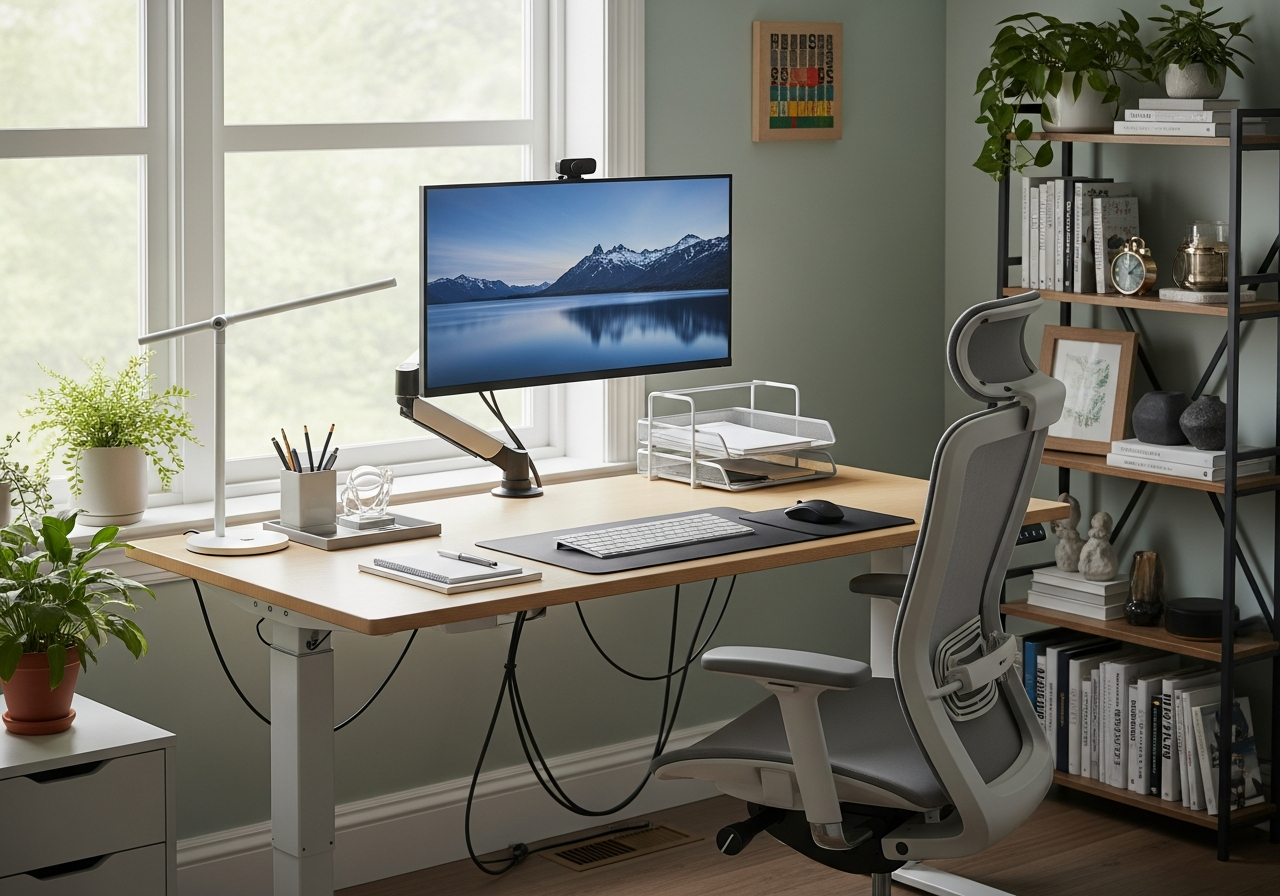
Working from home has become the norm for millions of professionals, yet most home offices are poorly designed. A cramped desk in the corner of your bedroom or a makeshift setup at the dining table won’t cut it if you want to maintain focus and protect your health over the long term.
Your workspace directly affects your performance. Studies show that proper ergonomics can boost productivity by 25% while reducing physical strain that leads to chronic pain.
The layout of your home office determines whether you end up energized or exhausted at the end of each workday.
The Foundation: Desk and Chair Positioning
Your desk and chair form the core of any productive workspace. Get this wrong, and everything else falls apart.
Desk height matters more than most people realize. When seated, your elbows should rest at a 90-degree angle with your forearms parallel to the floor. This typically means a desk height between 28 and 30 inches for most adults. Adjustable desks solve this problem entirely by letting you switch between sitting and standing throughout the day.
Chair selection goes beyond comfort. Look for adjustable seat height, lumbar support that matches your lower back curve, and armrests that let your shoulders relax. The seat depth should allow 2-3 inches of space between the edge and the back of your knees.
Position your chair so your feet rest flat on the floor. If they don’t reach, use a footrest. Your thighs should be parallel to the ground with knees at hip level or slightly lower.
Monitor placement prevents neck strain. The top of your screen should sit at or slightly below eye level, about 20-28 inches from your face. If you wear bifocals, drop the monitor lower so you’re not tilting your head back. For dual monitors, angle them in a gentle curve with the primary screen directly in front of you.
Strategic Room Layout Based on Natural Light
Light affects your circadian rhythm, mood, and eye strain. Position your workspace to maximize natural light without creating screen glare.
The best setup places your desk perpendicular to the windows. This gives you ambient natural light without the sun shining directly on your screen or into your eyes. Sitting with your back to a window causes glare on your monitor. Facing a window directly leads to squinting and eye fatigue.
If you can only position your desk facing or backing a window, invest in adjustable blinds or curtains that let you control light intensity throughout the day. Sheer curtains diffuse harsh sunlight while maintaining brightness.
For rooms without adequate natural light, layer your lighting. Combine overhead ambient lighting with task lighting at your desk. A desk lamp with adjustable brightness and color temperature helps reduce eye strain during long work sessions. Aim for 500-1000 lux of illumination at your workspace.
Avoid placing light sources directly behind your monitor. This creates contrast that forces your eyes to adjust, leading to headaches and fatigue constantly.
Equipment Placement for Workflow Efficiency
How you arrange your tools determines how often you break focus to reach for something.
Apply the frequency principle: Items you use hourly stay within arm’s reach. Things you need daily belong within a quick roll of your chair. Weekly items can sit on shelves or in drawers.
Your keyboard and mouse should sit at the same level, close enough that you don’t reach forward. Keep your wrists straight when typing, not bent up or to the sides. A keyboard tray can help achieve proper positioning if your desk is too high.
Create zones for different work types. Your primary work zone includes your computer, keyboard, and essential supplies. A secondary zone to one side can hold your phone, notebook, and reference materials. This separation helps your brain shift between tasks more deliberately.
Cable management prevents clutter and eliminates the frustration of tangled cords. Use cable clips, sleeves, or a simple cable box to keep wires organized and out of sight. This small detail makes your space feel calmer and more professional.
The Power of Movement Space
Productivity isn’t about staying glued to your chair. Your office layout needs room for movement.
Leave at least 3 feet of clearance behind your chair. This lets you stand up easily without bumping into walls or furniture. If space allows, create a small area for stretching or pacing during phone calls.
Consider keeping light dumbbells or a yoga mat nearby. Taking a five-minute movement break every hour maintains energy levels and reduces the muscle tension that builds from static positions.
Position frequently accessed items like printers or file cabinets a few steps away. This forces you to stand and move regularly throughout the day, which improves circulation and mental clarity.
Sound Control and Acoustic Considerations
Noise disrupts focus more than most environmental factors. A well-designed home office accounts for both incoming and outgoing sound.
Choose a room away from high-traffic areas of your home when possible. Corner rooms typically offer better sound isolation than those between two busy spaces.
Soft surfaces absorb sound while hard surfaces reflect it. If your office has hardwood floors and bare walls, you’re working in an echo chamber. Add area rugs, curtains, acoustic panels, or upholstered furniture to dampen noise.
For video calls, position your desk so the wall behind you is visible rather than a window or doorway. This gives a professional appearance and reduces background distractions for others.
If you share your home with others, establish clear boundaries about your work hours. A simple indicator, like a closed door or desk light, can signal when you’re in focus mode.
Temperature and Air Quality Setup
Your brain works best in specific environmental conditions. Temperature and air circulation directly impact cognitive performance.
The ideal office temperature sits between 68-72°F (20-22°C). Anything above or below this range reduces concentration and increases discomfort. Position your desk away from heating vents or air conditioning units that blow directly on you.
Keep a small fan nearby for air circulation on warmer days. Stagnant air makes spaces feel stuffy and reduces alertness.
Plants improve air quality while adding visual appeal. Snake plants, pothos, and spider plants require minimal maintenance and remove common indoor pollutants. Position them where they won’t clutter your workspace but remain visible for the psychological benefits of greenery.
Maintain humidity levels between 30-50%. Dry air causes eye irritation and respiratory discomfort during long work sessions. A small humidifier solves this problem in the winter months.
Storage Solutions That Don’t Compromise Space
Clutter kills productivity by overwhelming your visual field and creating decision fatigue every time you look around.
Use vertical space strategically. Wall-mounted shelves keep reference materials accessible without consuming floor space. Floating shelves work well above your desk for items you reference regularly but don’t need within arm’s reach.
Closed storage beats open shelving for items you don’t use daily. Cabinets or drawers with dividers prevent the visual chaos of exposed clutter while keeping supplies organized and easy to find.
A rolling cart provides flexible storage for projects that need temporary attention. When you finish, roll it out of sight rather than letting materials pile up on your desk.
Implement a “one-touch” rule for incoming papers and items. Decide immediately whether to file, act on, or discard them rather than creating holding piles that become permanent fixtures.
Color Psychology and Visual Design
The colors surrounding you influence mood, energy, and focus in measurable ways.
Blue tones promote calm and concentration, making them ideal for analytical work. Green reduces eye strain and creates a sense of balance. Both work well as primary colors in a home office.
Avoid overwhelming red, which increases stress levels during extended exposure. Small accents of red can boost energy for specific tasks, but shouldn’t dominate your visual field.
Neutral backgrounds with intentional color accents strike the best balance. Paint walls in soft grays, beiges, or off-whites, then add color through artwork, desk accessories, or that statement chair you’ve been eyeing.
Keep your desk surface as clear as possible. Every item in your field of view requires mental processing, even subconsciously. The cleaner your visual space, the more mental bandwidth remains for actual work.
Personalization Without Distraction
Your office should feel like yours without becoming cluttered or distracting.
Choose 2-3 meaningful items for display. A family photo, an inspiring quote, or a small piece of art adds personality without overwhelming your space. Rotate these items seasonally to keep your environment fresh.
Avoid placing entertainment options like gaming consoles or streaming devices in your workspace. The temptation to switch from work to leisure becomes too strong when options sit within reach.
Your workspace should signal “work mode” to your brain. This psychological boundary helps maintain focus during work hours and allows you to disconnect when you leave the space mentally.
Making It Work in Small Spaces
Not everyone has a spare room for a dedicated office. Small spaces require creative solutions but can still be highly functional.
Use furniture that serves multiple purposes. A desk with built-in storage eliminates the need for separate filing cabinets. Wall-mounted fold-down desks disappear when not in use, reclaiming floor space in multi-use rooms.
Position your workspace in a corner to maximize available wall space for vertical storage. Corner desks often provide more usable surface area than rectangular options in tight quarters.
Create visual separation even in shared spaces. A bookshelf, room divider, or strategically placed plant defines your work zone without requiring walls. This boundary helps maintain focus and signals to others that you’re in work mode.
Testing and Adjusting Your Layout
The perfect office layout emerges through experimentation, not overnight.
Spend a full week in your new setup before making changes. Initial discomfort often stems from adjusting to proper ergonomics after years of poor positioning. Give your body time to adapt.
Keep notes on what works and what doesn’t. You may discover that afternoon glare disrupts focus, or your filing cabinet sits too far away. Small adjustments based on real experience create massive improvements.
Take photos of your workspace from your seated position. This reveals clutter and distractions you’ve become blind to through familiarity. What you see in photos is what your brain processes all day.
Your perfect home office layout supports your work style while protecting your health. Start with the ergonomic fundamentals, then refine based on how you actually use the space. The investment in a proper setup pays dividends every single day you work from home.
