Design and package
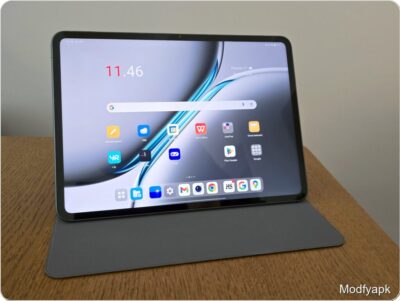
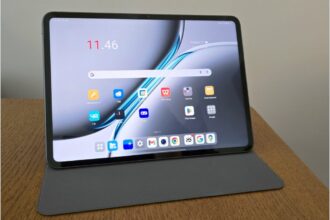
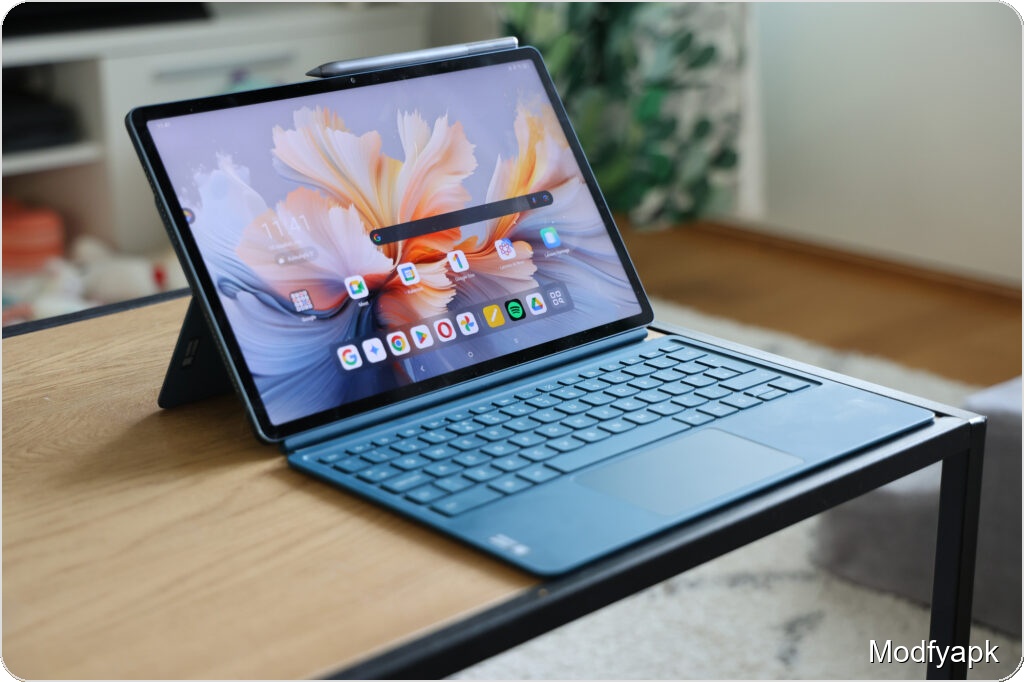
Lenovo’s Yoga Tab Plus aims squarely at the premium Android tablet space and arrives with one of the most complete bundles you’ll find. For a suggested price of 799 euros the box includes a detachable keyboard with trackpad, a folio-style stand, the Tab Pen Pro stylus, a USB-C to USB-C cable and documentation. The only notable omission is a power adapter.
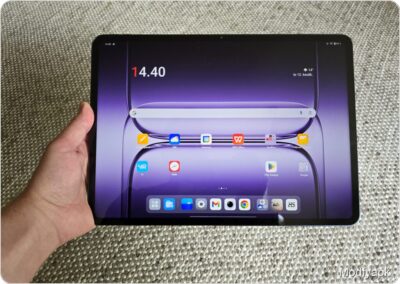
The tablet’s footprint is large: 290.9 x 188.3 x 6.7 mm, putting it alongside devices such as the Samsung Galaxy Tab S10+ and Apple’s 13″ iPad Air in overall size. Handling feels comfortable thanks to fairly flat edges and rounded corners, but the Yoga Tab Plus is noticeably heavier than many rivals at 640 grams, which becomes apparent during extended handheld use.
Lenovo’s build quality reads premium. The back features a long signature band along one side that houses the cameras and gives the tablet a distinctive look. In Finland it ships in a single finish called Tidal Teal.
Physical controls are split across edges: the power button sits at the top-right in portrait orientation and doubles as the fingerprint reader, while volume keys sit on the long right edge near the top. Pogo connector pins for the keyboard sit on the left long edge and a USB-C port is placed on the bottom edge.
Display
The Yoga Tab Plus uses what Lenovo calls a Puresight Pro Display: a 12.7-inch 2944 x 1840 panel with a 16:10 aspect ratio that favors landscape use. The panel offers up to a 144 Hz refresh rate with an option to cap it at 60 Hz, and peak brightness is rated up to 900 nits. The tablet supports Dolby Vision wide color.
The screen is an IPS LCD rather than AMOLED, so black levels will not match the deepest OLED contrast. In practice the LCD is excellent: viewing angles are strong, colors pleasing, and the 900-nit peak brightness is useful outdoors. Lenovo also applies an anti-reflective coating similar to Samsung’s tablets, though not quite as aggressive.
Bezels are not shrunken to the absolute minimum, which actually helps avoid accidental touches while holding the tablet.
Biometrics and durability
The fingerprint reader is embedded in the power key. Its placement is convenient in portrait use but can feel awkward when the tablet is propped in landscape with the keyboard and folio stand. The sensor itself is quick and reliable. Face unlock is available via the front camera and works reasonably fast, but it relies on a 2D camera rather than a dedicated 3D sensor, so it is less secure.
The tablet carries an IP53 rating, offering protection against light sprays at angles up to 60 degrees. That provides some peace of mind around splashes but is not a substitute for full water resistance. Lenovo does not highlight the IP rating prominently, and the keyboard and pen are likely not covered.
Cameras and audio
Cameras on tablets are generally built for convenience and documentation more than photography, and the Yoga Tab Plus follows that trend. The rear setup includes a 13 MP main camera (f/2.2) and a 2 MP macro lens (f/2.4). There is a single 13 MP front camera positioned on the long right edge. Both front and rear cameras can record 4K video at 30 fps.
The main camera produces decent results in good light, roughly comparable to midrange phone cameras in favorable conditions. Performance drops noticeably in low light, with softness and noise becoming apparent. The 2 MP macro unit delivers usable but limited results.
Audio is a strength. The tablet features two tweeters and four down-firing woofers, delivering satisfying volume and clear playback. Bass is present but restrained. Dolby Atmos is supported.
Performance and benchmarks
Under the hood is Qualcomm’s Snapdragon 8 Gen 3, last year’s flagship SoC, paired with 16 GB of LPDDR5x RAM. Lenovo ships the tablet in Finland as a Wi‑Fi–only model with a single storage option: 256 GB UFS 4.0. There is no microSD slot and no cellular variant available locally.
Benchmarks position the Yoga Tab Plus among the fastest Android tablets in tested workloads:
Geekbench 6 (single / multi): Yoga Tab Plus 2219 / 6883; Samsung Galaxy Tab S10 Ultra 2146 / 7215; Galaxy Tab S9 Ultra 2127 / 5706; OnePlus Pad 2 939 / 4651.
3DMark Wild Life Extreme: Yoga Tab Plus 5350 (tied with Tab S10 Ultra); Tab S9 Ultra 3921; OnePlus Pad 2 4586.
PCMark Work 3.0: Yoga Tab Plus 19233; Tab S10 Ultra 15597; Tab S9 Ultra 17139; OnePlus Pad 2 11530.
The Snapdragon 8 Gen 3 delivers more than enough headroom for multitasking and demanding apps. The tablet runs cool under typical loads, with only modest warming under heavy GPU stress.
Battery and charging
Lenovo packs a 10,200 mAh battery. Light use and low brightness easily stretch runtime across multiple days. Heavy use—high brightness combined with graphically intensive tasks—drops endurance to around a day.
Lenovo specifies up to 45 W charging, but the tablet ships without a charger. Using a 68 W Motorola charger in our test yielded the following: 31% in 15 minutes, 50% in 30 minutes, 82% in 60 minutes, and a full charge in about 1 hour 23 minutes. That is competitive, though not as fast as some rivals that can hit full in under an hour.
Stylus and keyboard
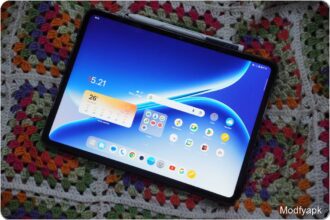
The included Tab Pen Pro is larger and thicker than Samsung’s S Pen but shares a similar quality feel. It supports up to 8,192 pressure levels and tilt detection. One annoying physical detail is the pen tip’s relatively hard tap against the glass, which feels spikier than the S Pen.
Lenovo adds haptic and a configurable sound layer to simulate different writing implements. The effect is surprisingly convincing and can be adjusted or disabled. Because the pen has Bluetooth it doubles as a remote control: it can advance presentations, control media playback, or act as a shutter release in the camera app. Several gesture shortcuts are supported for copying and pasting or other actions, though those gestures take a little practice. The pen magnetically docks to the right long edge and charges in about 30 minutes; the magnetic hold is firm but not foolproof under aggressive movement.
The bundled keyboard connects via three pogo pins and includes a large trackpad. Key feel is a touch soft, and the trackpad requires a firm press, but the typing experience is solid for a tablet accessory. The keyboard lacks physical special-character keys for some locales and has no backlight. When attached it enables a PC-like desktop mode optimized for keyboard and mouse workflows, while a small magnetic folio stand supports the tablet at a comfortable angle.
Software and AI features
Lenovo ships the Yoga Tab Plus with ZUI 16.1 based on Android 14. The interface is clean and tailored for tablet multitasking, offering robust multiwindow support and a dedicated PC mode. Small translation quirks and occasional bugs suggest some polish is still needed.
Lenovo bundles AI features, including a Lenovo AI Now assistant that can ingest documents like PDFs and produce summaries. The feature is beta and unstable; it often crashed when files were submitted, and it currently accepts commands only in English. AI tools are also integrated into the note app for text continuation, rewriting, and summarization.
At the moment Lenovo’s AI suite trails similar offerings from competitors such as Samsung in stability and polish.
Updates, connectivity and other details
For connectivity the tablet supports Wi‑Fi 7 (802.11ax) and Bluetooth 5.4. The USB-C port is USB 3.2 Gen 1. Other hardware highlights include an IP53 rating and the fingerprint-in-power-button placement.
Lenovo promises three major Android updates, which for this model means updates through Android 17, and four years of security updates—likely through 2029. That update schedule is respectable but not class-leading.
Verdict
The Yoga Tab Plus is a compelling package: flagship-class performance, a large and capable IPS display, excellent speakers and one of the most generous accessory bundles you’ll find out of the box. For users who value multitasking and productivity, the included keyboard and pen—both well implemented—are major selling points.
However, Lenovo left out a few items buyers at this price might reasonably expect: no cellular model, no microSD slot, and a middling update promise. Battery life is good in light use but not exceptional under sustained heavy loads, and the AI features still need maturity.
Overall the Yoga Tab Plus is a smart, well-executed tablet that feels like a small surprise in the premium Android field. It is not flawless, but for people who want raw performance, a big productive screen and a generous bundle, it is worth considering.
Pros and cons
Pros
- Strong performance
- Excellent display with caveats
- Generous included accessories
- Very good speakers
- Feature-rich stylus
Cons
- Update promise could be stronger
- Battery life is situational
- No microSD slot
- No cellular variant
- Keyboard lacks physical special-character keys
- AI features need polish