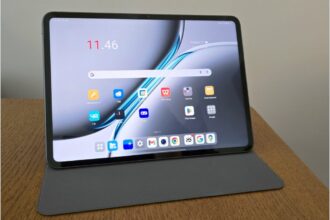
OnePlus expands its tablet ambitions
OnePlus has shown it can do tablets, and the Pad lineup’s two predecessors were strong proofs of concept. The OnePlus Pad 3 pushes that trajectory further: it jumps into a 13.2-inch size class while keeping battery life solid and cranking raw performance to near-flagship levels. A pen and keyboard are available as accessories, and the price rise is modest.
Positioning and price
OnePlus positions the Pad family squarely in the midrange. The Pad 3 does not target the cheapest Android slates, nor does it directly chase Samsung’s or Apple’s absolute top-tier models. The recommended price is 599 euros, a notable sum for a tablet but one that still delivers a lot for the money.
Launch and core hardware
Released and put on sale in early June, the Pad 3 receives a major upgrade under the hood. Like its predecessor, it runs on Qualcomm’s Snapdragon 8 Elite, so there is no compromise on performance; it sits near the top of the flagship bracket. Storage remains 256 GB with 12 GB of RAM, a combination that fits the asking price well.
The retail box contains only the tablet, documentation, warranty information, and a USB-A to USB-C cable. As is increasingly common, an AC adapter is not included. OnePlus sells its 80 W SuperVOOC charger separately for about 40 euros.
Display
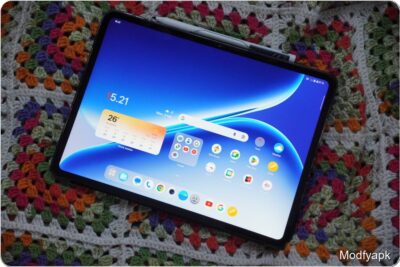
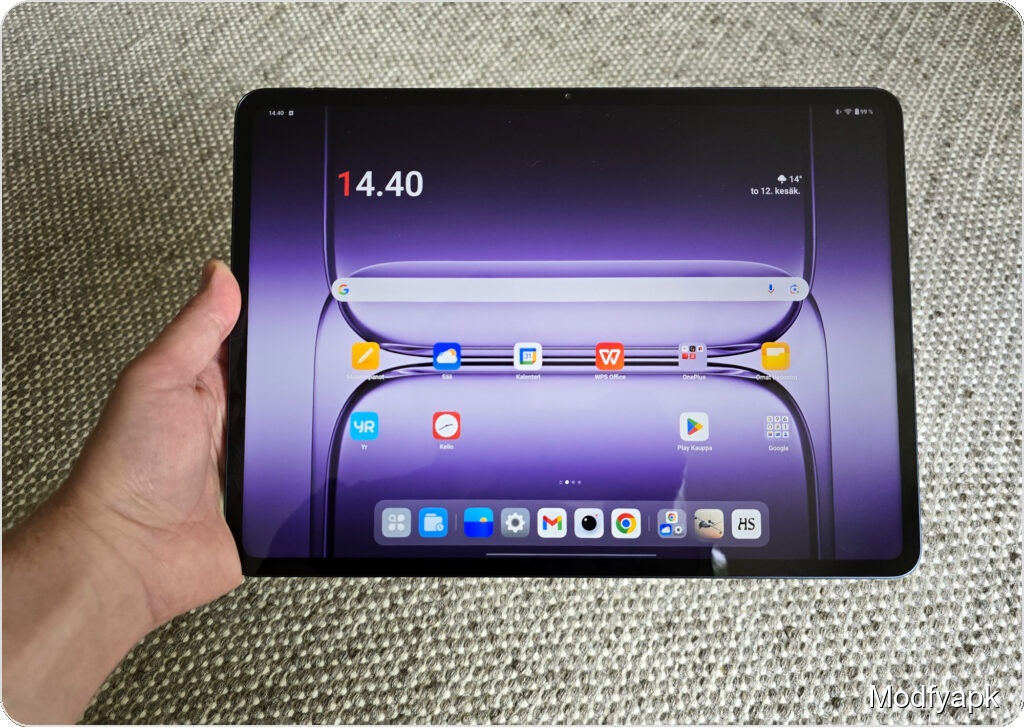
The Pad 3’s screen grows to 13.2 inches and uses a 7:5 aspect ratio. The LCD panel has a resolution of 3392 x 2400 pixels, yielding roughly 315 pixels per inch. Base brightness reaches 600 nits and peak brightness 900 nits. The display supports stepwise refresh rate switching up to 144 Hz.
That combination makes the display pleasant to look at. Resolution is high enough for demanding tasks and peak brightness handles most situations. In the brightest early-summer sun a touch more brightness would have helped, but the screen remained usable. Color reproduction looks good to the eye without feeling overblown.
Being LCD, blacks do not match AMOLED depth, though contrast is solid and the panel is versatile. During testing only YouTube accepted HDR streaming.
Form factor and handling
The 7:5 aspect ratio carried over from the Pad 2 makes the device wider than average, working reasonably well in both portrait and landscape. In portrait mode the device’s size begins to show and one-handed, long-duration use feels tiring.
The rear camera module is positioned in a corner, which makes it easy to accidentally touch. Landscape use feels more natural because the tablet is typically held with two hands.
Viewing angles are excellent and colors remain stable from extreme angles. The screen is unusually reflective, though, so you often find yourself adjusting the slate to avoid light sources.
The Pad 3 stands out for thinness. At roughly 6 mm thick it handles more easily than you might expect for a device this large. But its footprint—289.6 x 209.7 mm—and weight of 675 g are not negligible. The big screen is an advantage for productivity, but for casual browsing and media consumption the size can be a drawback compared with smaller models.
The smooth metal frame looks premium, yet after extended one-handed holding the rounded corners still press into the palm. Physical buttons are grouped in one corner: volume on the longer edge and power on the shorter one. Their placement and feel are fine and resist accidental presses.
Keyboard dock pogo pins now sit on the back opposite the volume keys. Speakers are on the shorter edges.
Screen bezels are pleasantly slim and OnePlus claims an 89.3 percent screen-to-body ratio. The trade-off is that the narrow bezels increase the chance of mispresses until you adjust your grip.
Build, materials and biometrics
The Storm Blue aluminum back is understated and the corner camera bump is less conspicuous than before. The matte finish looks good but attracts fingerprints. Despite the thin profile the tablet feels sturdy.
There is no fingerprint reader. You must rely on a PIN, password, or face unlock. Face unlock works reasonably quickly even in dim lighting, but a fingerprint sensor would be faster and more reliable.
OnePlus does not add any IP rating to the Pad 3. At this price point the omission feels stingy; tablets are used in varied environments and some dust and splash protection would be welcome.
Cameras and audio
Cameras remain a secondary feature for most tablets. The front camera is 8 MP and the rear camera 13 MP. The front is fine for video calls but not a true selfie camera. The rear camera is best for notes and occasional useful shots rather than serious photography.
Audio is strong for a tablet. The Pad 3 uses eight speakers—four low and four tweeters—and sounds best in landscape. The outward-facing arrangement creates a sense of space. Tonally the setup is more balanced than the previous model and low-mid presence is improved. The deepest bass is still absent, and while the presentation is not perfectly pristine, volume and clarity are ample for indoor music and media playback.
Connectivity and internals
The SoC is Qualcomm’s Snapdragon 8 Elite. Its fastest Oryon CPU core reaches 4.32 GHz and graphics are handled by the Adreno 830. The platform supports Wi‑Fi 7 and Bluetooth 5.4. The Pad 3 does not support LTE or 5G. Memory is 12 GB LPDDR5x and storage is 256 GB UFS 4.0.
Performance benchmarks
Muropaketti’s testing compared only a few recent high-power tablets, so the relevant comparators are Samsung’s two latest flagships and the OnePlus Pad 2. Tests used a performance mode where available.
GeekBench 6 (single / multi)
OnePlus Pad 3: 3097 / 9219
OnePlus Pad 2: 939 / 4651
Samsung Galaxy Tab S10 Ultra: 2146 / 7215
Samsung Galaxy Tab S9 Ultra: 2127 / 5706
3DMark Wild Life Extreme
OnePlus Pad 3: 6639
OnePlus Pad 2: 4586
Samsung Galaxy Tab S10 Ultra: 5350
Samsung Galaxy Tab S9 Ultra: 3921
PCMark Work 3.0
OnePlus Pad 3: 14325
OnePlus Pad 2: 11530
Samsung Galaxy Tab S10 Ultra: 15597
Samsung Galaxy Tab S9 Ultra: 17139
The results are as expected: excellent. The Pad 3 posts a clear lead in GeekBench 6, leaving the Pad 2 far behind and outpacing Samsung’s tablets in many tests. The advantage is visible in 3DMark too. Only in PCMark Work 3.0 do Samsung’s entries score higher.
Real-world performance mirrors the benchmarks. This is about as fast as Android tablets get right now. Beyond everyday use the Pad 3 handles mobile gaming comfortably. The device defaults to a balanced mode but offers a high-performance setting; in practice the reviewer noticed no meaningful difference between modes even during quick gaming sessions.
Battery life and charging
Battery life was measured by looping 4K HDR videos over Wi‑Fi using two clips. The Pad 3 managed up to 18 hours and 15 minutes on a single charge depending on the material. That exceeds the Pad 2 despite the larger display. For web browsing the battery also drained slowly, so you can expect long stretches between charges.
Because no charger ships in the box the Pad 3 will charge at whatever adapter you supply. With a SuperVOOC-compatible charger the tablet supports up to 80 W charging. Tests used a 100 W SuperVOOC unit and returned a full charge in 1 hour 27 minutes. Charging is frontloaded: one-third in 20 minutes, 50 percent in 34 minutes, and about 80 percent in just under an hour. The tablet’s battery capacity is 12,140 mAh.
Software and tablet features
The Pad 3 runs Android 15 with OnePlus’s OxygenOS 15 overlay. OnePlus calls its multitasking layout Open Canvas. Open Canvas lets you open two to three apps on screen and cleverly place parts of an app partially off the visible area in both portrait and landscape. The active app gains more room while the partially hidden app is quickly available. You can store combinations in a floating smart sidebar and use standard split-screen arrangements with adjustable sizing. A taskbar can be summoned while apps are open. These are useful features for power users.
The Pad 3 can now connect to a Mac or iPhone for file sharing and screen mirroring. This previously worked only between OnePlus devices; the Apple cross-compatibility requires installing the O+ app, signing into the same OnePlus account, and being on the same Wi‑Fi network.
There are also AI features, though not as extensive as some competitors and they work best in English. The most practical elements are Google’s Circle to Search and making Gemini the default virtual assistant. Overall, OxygenOS ran smoothly during testing with no stutters even under split-screen or heavy multitasking.
OnePlus promises three major OS updates, meaning the tablet will get to Android 18, and six years of security updates through 2031. A longer window for platform updates would be preferable; Samsung promises seven years for both types of updates. Still, the security update commitment is two years longer than the Pad 2 received.
Accessories
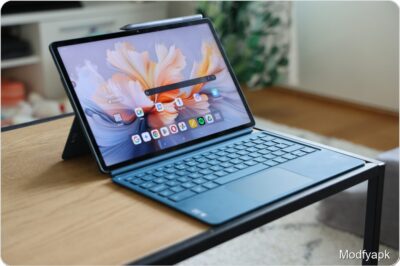
OnePlus offers the Smart Keyboard cover that includes a keyboard. The typing feel is acceptable for longer sessions, but the tablet-plus-keyboard combo begins to weigh as much as a lightweight laptop. A Scandinavian key layout is not available. The keyboard module detaches from the two-part case, allowing use of the rear piece as a stand. The cover fits well, attaches magnetically without an overly tight hold, and supports two viewing angles. Price: 169 euros.
The OnePlus Stylo 2 active stylus is offered for 99 euros. A standard folio case for the Pad 3 sells for 59 euros.
Verdict
The OnePlus Pad 3 is simply a very good tablet for the 599-euro bracket. The price only rises 50 euros from the Pad 2 while delivering a much faster processor and a larger screen—features many buyers will appreciate.
That said, previous-generation Pad models have dropped hundreds of euros in deals, and if you can find a Pad 2 at a steep discount it remains a strong value with a more manageable size. Even lower-cost Android tablets exist, but they require bigger compromises than the OnePlus devices.
For most tablet use cases the Pad 3 performs well or excellently. The screen is sharp and bright enough, though reflective. Audio is unusually good for the category. The software is responsive and supports tablet-oriented workflows, and the battery is large enough for many hours of heavy use with fast charging when you have a SuperVOOC adapter.
At this price it is odd to omit a fingerprint sensor and microSD expansion, and the lack of any IP rating stands out. An AMOLED option would be welcome in this segment. Still, power users will find the OnePlus Pad 3 a compelling device, provided they plan to pair it with a keyboard or stylus. For pure media consumption the size can feel unwieldy, but the combination of performance and build make the Pad 3 OnePlus’s best tablet to date.
Pros and cons
Pros
- Top-tier performance
- Premium feel
- Sharp, bright display
- Excellent battery life
- Fast charging with OnePlus SuperVOOC
- Impressive tablet-class audio
Cons
- No fingerprint reader
- Reflective screen
- Camera bump placement can be awkward
- No IP protection at this price