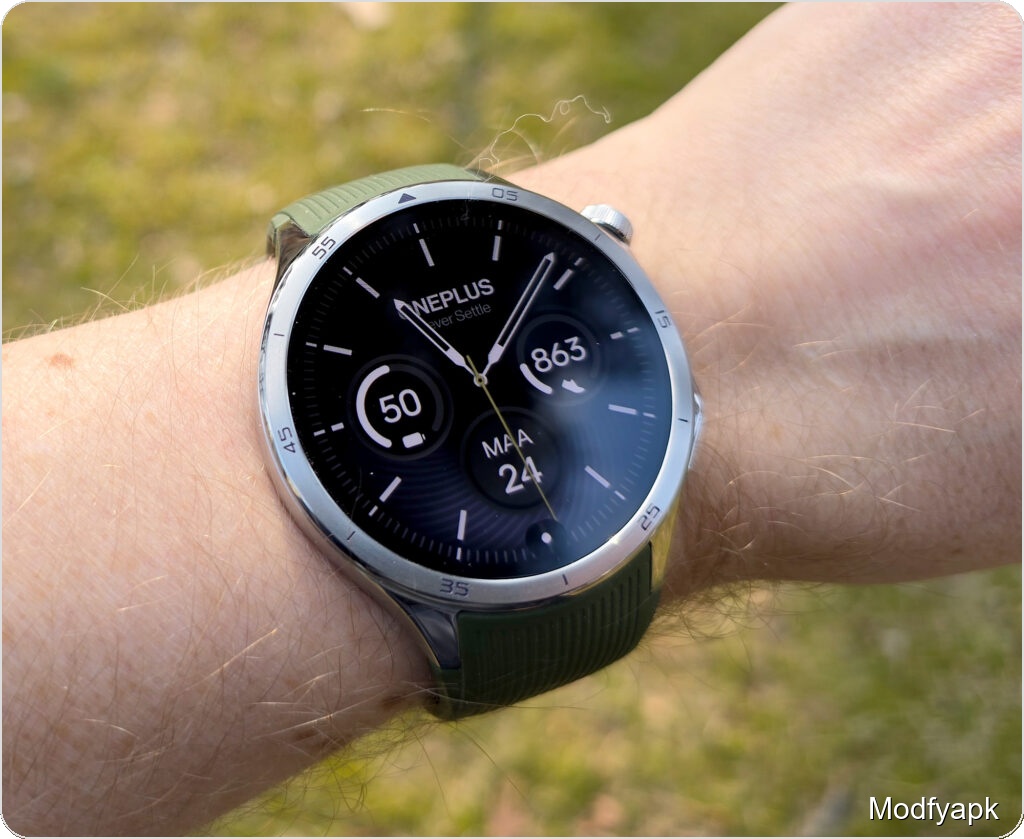
The Watch 3 from OnePlus is an improvement on the already impressive Watch 2. It fixes many minor issues from the previous model to make it a much better wearable device.
The Watch 2 used two processors, and OnePlus has taken that idea even further. The Watch 3’s main operating system is Google’s Wear OS 5, but it still has a low-power RTOS layer for simple tasks.
The launch was supposed to happen on February 25, but a mistake in the packing pushed it back to April. The watch comes in two colors: black Obsidian Titanium and green Emerald Titanium. This model has a dark strap and a dark case. The test model, which is green, has a case that is lighter in color. 349 euros is how much it costs.
There is only the WiFi model, so there is no separate cellular choice.
The Google Pixel Watch 3, the Samsung Galaxy Watch 7, and the Huawei Watch GT 5 are all competitors. The WiFi versions of these watches usually cost between 300 and 350 euros. Prices will be pushed down by older models that sell for around 200 euros.
Technical specifications
| Price | 349 € |
| Dimensions, weight | 46,6 x 47,6 x 11,8 mm (without strap fixtures and sensor bump), 49,7 g (without strap) / 81 g (with strap) |
| Display | 1,5″ AMOLED (466 x 466 pixels, LTPO AMOLED) |
| Battery | 631 mAh |
| SoCs | Snapdragon W5 and BES2800BP |
| Memory | 32 GB storage, 2 GB RAM (4 GB eMMC for RTOS) |
| Operating systems | Wear OS 5 + RTOS |
| Connections | GPS (L1 + L5)/Glonass/Beidou/Galileo/QZSS, NFC, Bluetooth 5.2, WiFi 2.4 GHz & 5 GHz |
| Compatibility | Android 10 or newer |
| Sensors | Accelerometer, gyroscope, heart rate, SpO2, ambient light sensor, barometer |
| Water and shock resistance | 5 ATM, IP68, MIL-STD-810G |
In the box, battery, and charging
There is a quick-start guide, a strap, and a charging puck with a USB-C to USB-A wire in the box for the black watch. In about 55 minutes, the empty battery is full, and a ten-minute charge gets it up to about 30%.
Design, display, and build
The Watch 3 looks a lot like the Watch 2, which isn’t a bad thing because the Watch 2 was already a beautiful, well-made smartwatch.
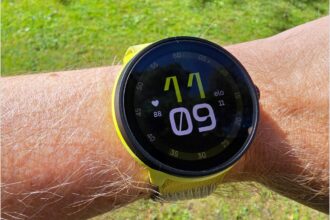
The Watch 3’s main screen is a 1.5-inch AMOLED screen with a size of 466 x 466. That’s a big improvement over the Watch 2’s 1.43-inch screen, which looked small on paper but felt big in your hand. The edges are nice and thin, and the screen seems big compared to the case.
It is easy to read and very sharp. OnePlus says that the screen can be as bright as 2200 nits in some exercise situations. In real life, I was able to read it outside in bright sunlight without any problems. Auto-brightness works very quickly. To save power, the frame rate of the screen can drop as low as 1 Hz.
The case is about 47 millimeters long, wide, and thick (46.8 x 47.6 x 11.8 mm) without the strap fixings and sensor bump. The sensor bump makes the case a little thicker. The body is made of clean, stylish stainless steel, and the case and glass are held together by a titanium frame. Sapphire crystals are very hard to scratch, and the glass didn’t get any damage from the straight hits during the test.
The watch is rated IP68, 5 ATM, and MIL-STD-810H, which means it can handle dust, heat, and water absorption.
Controls, strap, and comfort
You can find the controls on the right. The round top crown can be used to open the app menu or go back to the watch face. The crown on the Watch 3 can be rotated to scroll up and down, unlike the crown on the Watch 2, which did not move. The turn feels natural thanks to clear haptic detents.
When you double-press, the most recent app opens by default, and when you long-press, Google Assistant starts talking. When you press the lower button twice, Google Wallet for cashless payments opens. The lower button normally takes you to the workout menu. Both buttons can be moved around.
The fluoroelastomer strap that comes with it is strong, but it gets a little hot after a while of use. Quick-release pins and a standard 22 mm width make swapping bands easy, but the strap’s downward-angled lugs may make it hard to connect some third-party bands.
Performance, dual-chip setup, and software
The Watch 3 follows OnePlus’s dual-processor strategy to get the most out of the battery life. A low-power BES 2800 chip handles daily jobs like notifications, step tracking, sleep tracking, and task counting. The watch uses a Qualcomm Snapdragon W1 base when GPS or more powerful apps are needed.
Setting up is easy, and it’s all done through the OHealth partner app, which also brings together health data. The watch can’t connect to iPhones; it needs Android 10 or later.
The main app is Wear OS 5, which is the same core that’s in the Galaxy Watch7 and Pixel Watch 3. The two-chip design lets an RTOS layer stay but be less important.
Key information like sleep, weather, and movement are shown on full-screen tiles in Wear OS 5. You can pinch to expand and collapse the app menu, and the top button lets you get to it. Notes and quick settings are at the top, and quick settings are at the bottom.
The UI is fast and quick in general. The watch faces let you do most of the main functions, so you don’t have to go to the app grid as often. When you swipe or press on a OnePlus phone, it rarely lags, and you can get third-party apps from the Play Store. It’s too bad that the expected time for software updates is only two years.
Battery life
The battery in the Watch 3 is 631 mAh. Huawei says that the smart mode can last up to five days (120 hours) and the power-saving mode can last up to sixteen days.
These claims were mostly true when they were tested. The watch lasted almost six days with the factory settings, a constant phone connection, and about an hour of daily GPS-assisted activity. This was close to the five-day claim made by the company and could have gone on for a full week with some power savings. When the battery gets down to 10%, the watch automatically goes into power-save mode, which keeps it from dying completely unless you directly override it.
Turning on the always-on display cuts usage by a lot, but it still lets you go more than three days without charging. These are great numbers for a Wear OS device. It charges quickly, but you need the special puck to do it.
One thing to keep in mind is that going into and out of power-saving or sleep states can take a while because the watch has to restart in order to work normally again.
Sensors, GPS, and tracking accuracy
An accelerometer, gyroscope, heart-rate monitor, SpO2, ambient light, and barometer are some of the sensors. The Watch 3 has ECG, which the previous model did not have.
In outdoor tests, GPS locking was amazingly fast; it often got a fix almost right away. For better precision, the watch has dual-band GPS (L1 + L5).
During the two-week test time, the Watch 3 got lower scores for steps, daily activity, and sleep quality compared to the Samsung Galaxy Watch6 Classic 47 mm and the Oura Ring 4. OnePlus didn’t record all of your steps—short walks like going from your desk to the kitchen or pushing a vacuum cleaner were often missed. Heart rate and distance measurements, on the other hand, matched well with reference devices when steps and distances were recorded during long runs or brisk walks.
Tracking sleep stayed mostly the same. A lot of the time, the Watch 3 didn’t rate nights as “good” or “excellent,” even when other devices and perceived sleep quality showed that the person was getting good rest. The new wellness score, which is a combination of ready and stress, changed quickly and didn’t always show recovery in the same way, which means it needs to be tweaked.
Workout features and usability
One of the many workout modes on the Watch 3 is dance. Other modes are running, cycling, swimming, and yoga. There is a lot of information about running measures, such as cadence, stride length, ground contact, and balance. The watch even tells you how fast you burn fat and carbs, but the analysis doesn’t give you any coaching tips you can use.
One small problem is that you can’t just tap the screen to stop an active workout. You have to swipe and press it for a long time. Besides that, tracking during runs was good, with heart rate, distance, and pace being about the same as the best wearables we tried.
New health features and availability
The ECG feature is a big improvement. For this function to work, you have to press and hold the lower button for 30 seconds. After that, it will report either a sinus rhythm or a possible arrhythmia. But ECG won’t be available when the watch first goes on sale. OnePlus hopes to add it in the second quarter, by the end of June.
The watch also has vascular stiffness research, which compares the stiffness of the arterial walls to standards based on age. OnePlus will release an update in March that includes a 60-second health check that looks at three risk areas: heart health, arterial stiffness, and breathing problems. The check uses seven signs to look at these areas. That quick test might give helpful hints in some situations, but it might not mean much for people who are otherwise fit.
Pros and cons
Good
- Excellent battery life.
- Functional rotating crown.
- Pleasing, bright display.
- Fast charging.
Bad
- Large for smaller wrists.
- The stock strap can feel sweaty.
- Short software update window.
- No wireless charging.
Verdict
The OnePlus Watch 3 is a strong and flexible choice for Android users who want a smartwatch with all the features they need. It has a lot of features and a battery life that Wear OS watches usually have trouble with.
Its strengths are its long-lasting battery, its new spinning crown, its attractive, easy-to-read screen, and its quick charging. OnePlus has also added more health features, including an ECG that will be available soon.
Still, there isn’t a cellular model, the stock strap is a bit sweaty, you can only get updates every two years, and you can’t charge it wirelessly. Some users may lose faith in the app because it doesn’t accurately measure accidental steps and sleep, but it does accurately measure success during planned workouts.
The Watch 3 is a stylish and well-made gadget that lets Android users do a lot of things without having to charge it every day.